A family Slack should not make sense
The useful family AI assistant is not another app. It is the thing already sitting in the family chat, doing the browser-tab work nobody wants.
So I made a Slack workspace for my family. Never thought this would be a sentence I’d write.
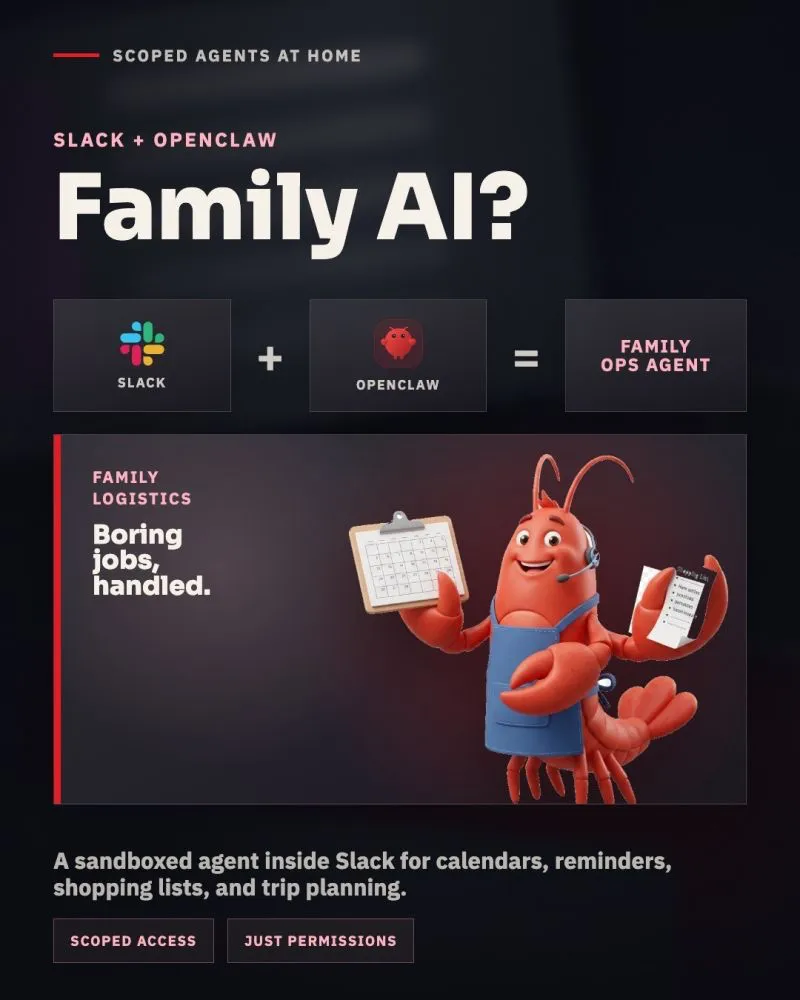
Inside it lives an OpenClaw agent called FamilyClaw. It helps with errands, planning, research, reminders, and the small pieces of coordination that are individually easy but somehow consume an entire evening when assembled together.
This is not because I have a secret wish to turn family logistics into a miniature enterprise IT department (although when the agents start to argue, it certainly feels like one). The point is much simpler. Everyone already understands chat. Nobody needs to learn another interface, remember where the shopping list lives, or ask which app contains the hotel research.
The agent has its own channel. Requests live in threads. The work stays visible to everyone involved.
Budapest was the useful test
We were planning a weekend in Budapest and wanted to take our dog with us. This is exactly the kind of trip that sounds simple until the constraints begin reproducing.
We had a travel window and a budget. The hotel needed to allow dogs. A direct train was preferable, but a rental car could work as a fallback. Train times had to be reasonable, the dog’s transport rules mattered, and a cheap hotel outside the center was not necessarily cheap anymore if it required driving and parking every day.
Instead of becoming a human browser-tab manager, I sent FamilyClaw the brief as a voice message.
It checked train departures, prices, and seat options. It compared those with the realistic cost of renting a car, including the less-photogenic parts such as cross-border fees and insurance. It found dog-friendly hotels within budget, surfaced links and pictures, considered their locations, and asked follow-up questions where our preferences were unclear.
Then it returned the research to the same Slack thread where the family could inspect it.
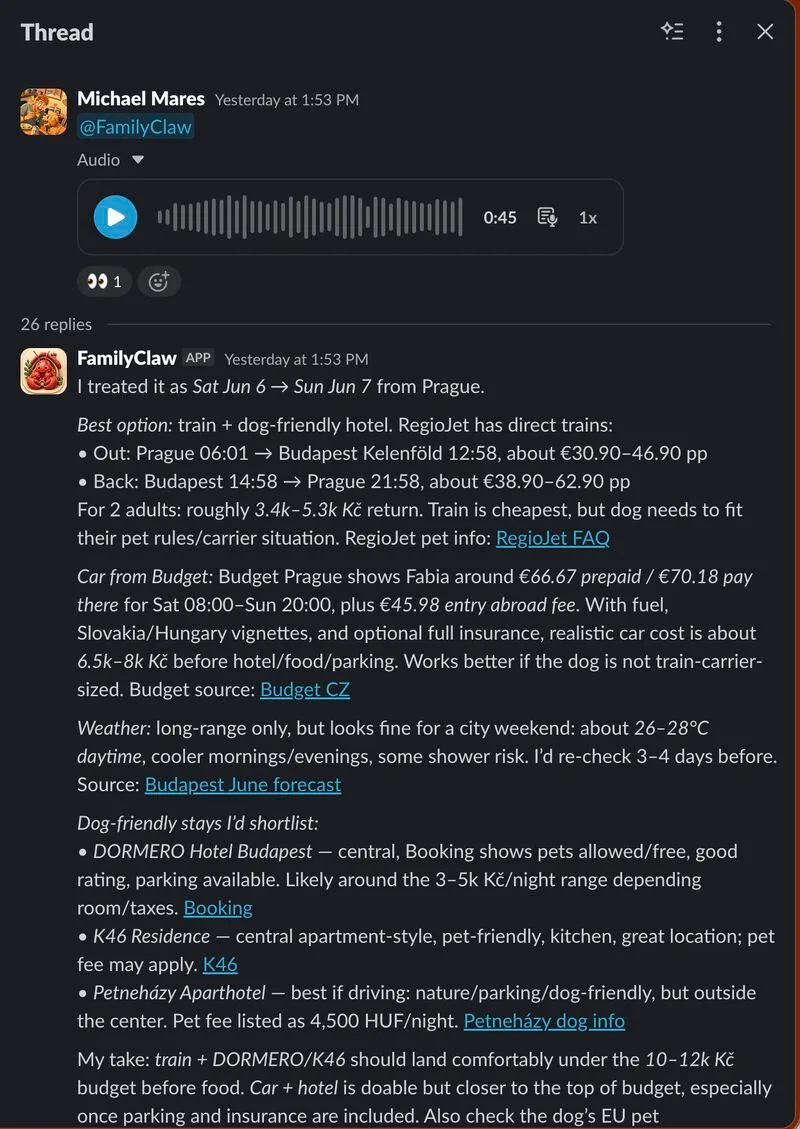
The result was not a single magical answer. It was a decision-ready shortlist: train plus a central hotel looked best, driving remained possible, and the trade-offs were visible without opening fifteen tabs and slowly forgetting why tab number four was important.
A voice note became a shared plan
The voice message matters more than it may seem.
Family logistics often happen while someone is walking the dog, making dinner, or remembering something five minutes before falling asleep. Requiring a carefully formatted prompt at a desk would make the system technically impressive and practically unused.
A short voice note is enough to start. FamilyClaw takes the request, gathers the missing information, and keeps the work in a thread. Anyone in the workspace can read the sources, add another constraint, reject an option, or ask it to compare the shortlist differently.
Once we agreed on the travel window, it could also place the time in our shared calendar. The agent did not invent the dates or silently book our weekend. It acted on the window we had explicitly given it.
I have written separately about why personal AI assistants are worth the setup. This was the concrete version of that argument: a familiar interface, a real task, and a visible handoff between research and action.
Tools make it more than a chatbot
A normal chatbot can suggest what to search for. That is useful, but it still leaves me to perform the search, compare the results, move the useful parts into a shared place, and update the calendar.
FamilyClaw can use tools.
That is the difference. It can research current options, follow links, return evidence to Slack, work from a voice message, and update the shared systems I have explicitly connected. The model is only one part of the assistant. The useful part is the controlled path from a family request to work that has actually been done.
In that sense, FamilyClaw is like ChatGPT with hands—but hands that can reach only the drawers I decided to unlock.
Permissions are the product
The agent can see what I gave it permission to see and use the tools I explicitly enabled. It runs inside a scoped environment, and the family channel gives us a readable record of what it was asked to do and what it returned.
I would not give it my credit card.
Researching options is reversible. Suggesting a hotel is reversible. Holding an agreed travel window in a calendar is easy to inspect and undo. Paying for a non-refundable room is a different category of action, so that remains human work.
That boundary is intentional. Sandboxing does not make an agent infallible, and a permission label is not fairy dust. The safe setup is the one where capabilities are narrow, consequential actions still require a person, and failures are more likely to produce a boring calendar event than a surprise holiday purchase.
Boring work is the right work
The best part of FamilyClaw is not that it appears intelligent. It is that it removes fragmented work from people who already have full-time jobs and limited energy left for comparing train-seat diagrams at night.
It does not choose the holiday for us. It does not decide what we can afford. It does not book or pay. It gathers the options, makes the trade-offs legible, keeps the discussion together, and handles the administrative follow-through once we decide.
At the end of the Budapest thread, the useful output sounded almost mundane:
I found three dog-friendly hotels in Budapest. Two are in the center, one is a bit outside—but you might be driving, so it is not an issue.
No grand theory of machine intelligence. No autonomous household empire. Just the right information, in the right place, with enough context to make a decision.
That is intelligence I can work with.